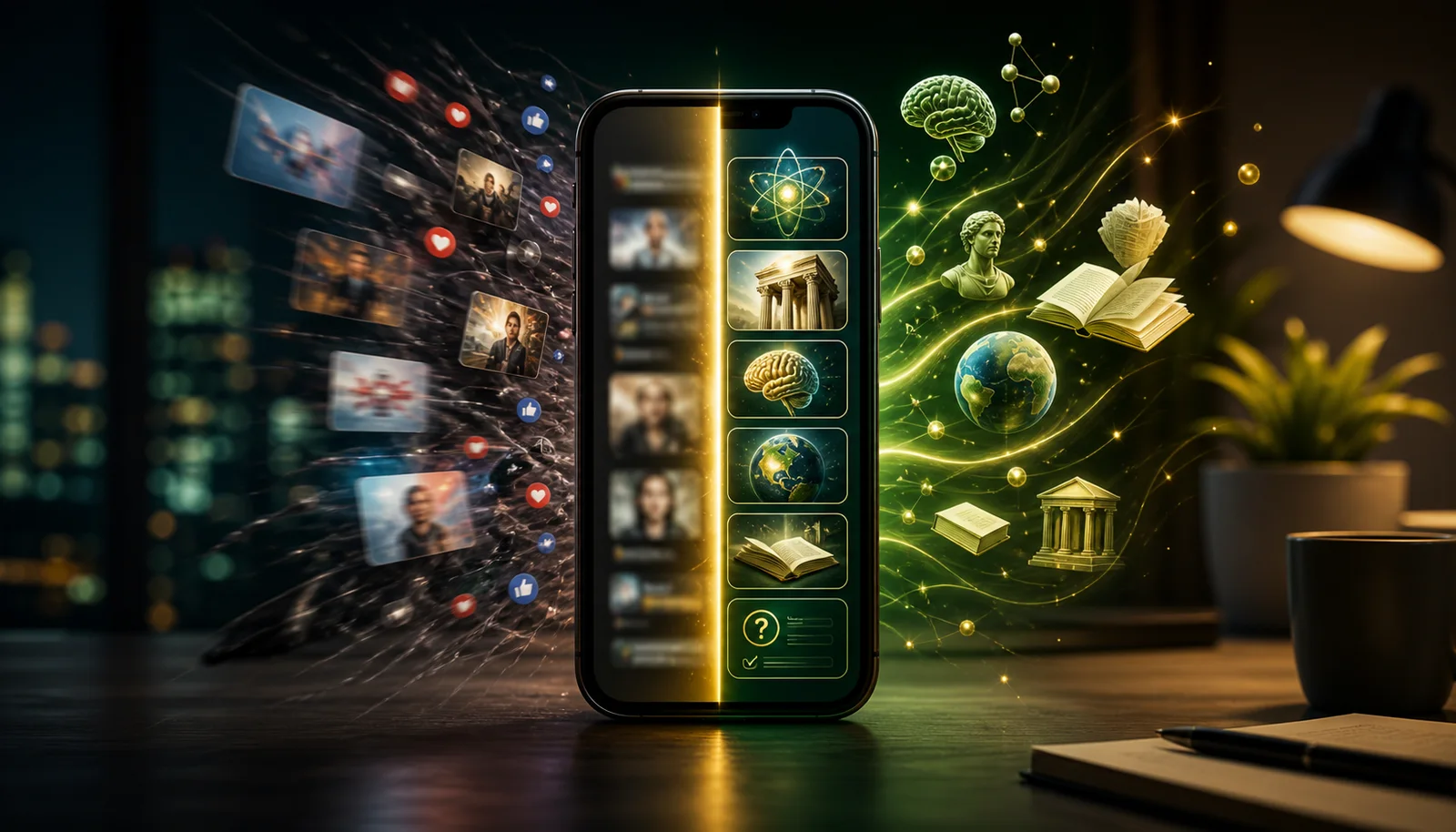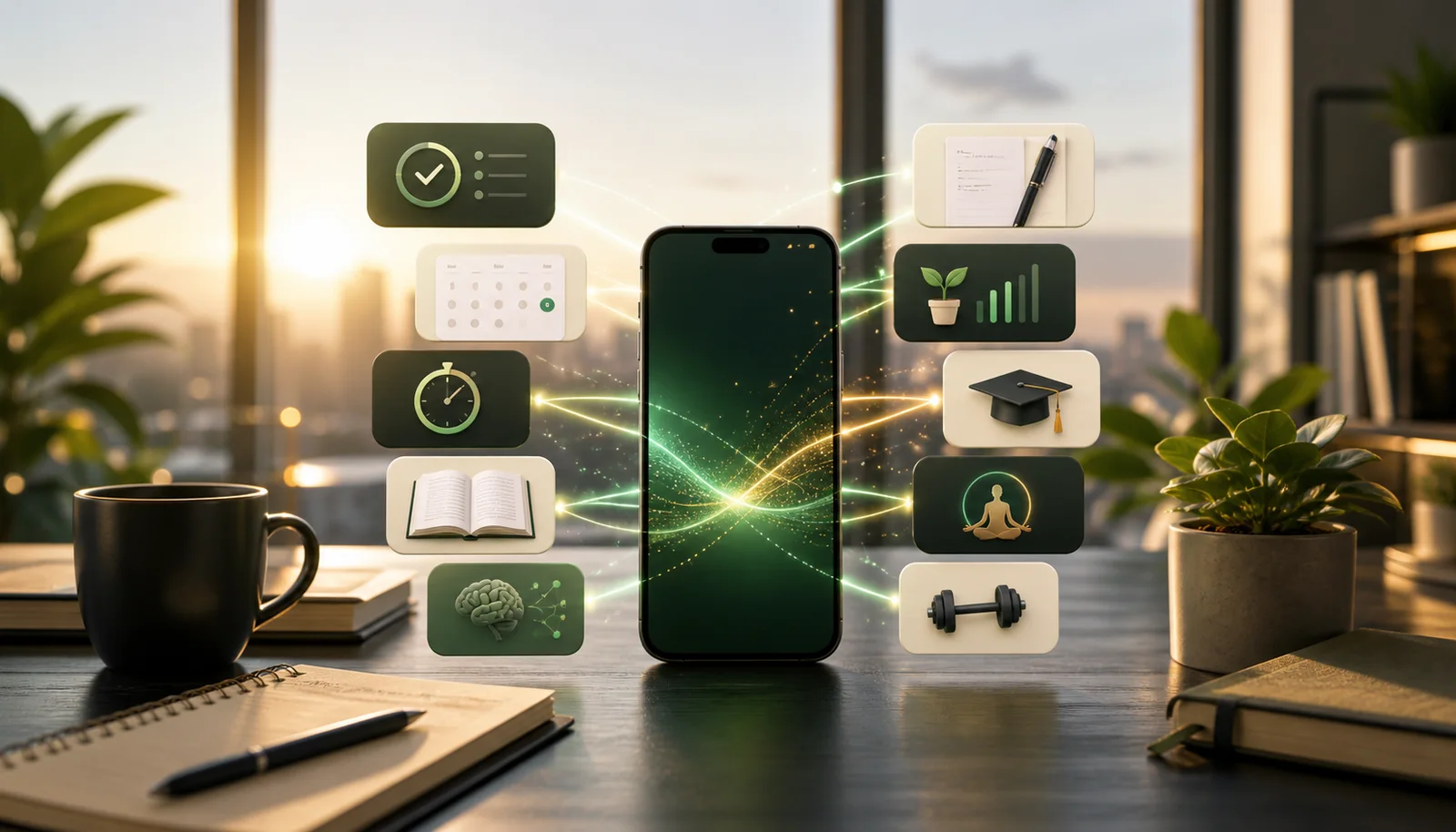
Your phone is not automatically a distraction machine. It becomes one when the easiest apps to open are the apps designed to consume you.
The fix is not deleting everything and pretending you will become a monk. The fix is making useful actions as easy as useless ones. One tap for tasks. One tap for learning. One tap for focus. One tap for reading something worth remembering.
This list is about productive apps in the broad sense: apps that help you think, learn, organize, focus, read, move, remember, and make better use of the little gaps in your day. If you specifically want apps to open instead of social media, we built a separate guide to the best productive apps instead of social media. This page is broader: the best tools to make your phone actually useful in 2026.
What Makes an App Actually Productive?
A productive app is not an app with a clean interface and a motivational onboarding screen. It is an app that changes what happens after you open it. You should leave with a captured task, a protected block of time, a better idea, a finished lesson, a saved article, a calmer nervous system, or a tiny bit of progress you can point to.
That is the bar. A lot of apps call themselves productivity tools while quietly becoming another dashboard to maintain. If the app needs a weekly ritual, six templates, a color system, a naming convention, and a private philosophy before it becomes useful, it might be a hobby wearing a blazer.
The best productive apps have three qualities. First, they are fast at the moment of capture. Second, they create a natural next action. Third, they make returning easier than starting over. Todoist does this with tasks. Calendar does it with time. NerdSip does it with learning. Forest does it with focus. A good productivity stack should feel less like building a cockpit and more like clearing the table so you can finally eat.
The Productive Phone Test
Here is a simple test: unlock your phone and look at the first screen. If the most reachable icons are feeds, messages, and entertainment, your phone is optimized for reaction. If the most reachable icons are learning, capture, calendar, focus, reading, and movement, your phone is optimized for intention.
You do not need to become a productivity monk. You just need the first tap to be less dumb. That sounds small, but it compounds. Five minutes of learning instead of five minutes of outrage. One captured task instead of one forgotten errand. One saved article instead of twenty open tabs. One focus timer instead of pretending you are about to concentrate while your phone glows beside your keyboard.
1. NerdSip: Best for Productive Screen Time
Best for: turning five spare minutes into knowledge.
NerdSip belongs in a productivity stack because learning is one of the highest-value things your phone can do. Instead of opening a feed and absorbing whatever the algorithm wants, you open NerdSip and take a short course on psychology, science, history, money, health, social skills, technology, or whatever question is currently stuck in your head.
The app is built for busy people. Lessons are short, quiz-based, and gamified with XP, streaks, leaderboards, rewards, and progress you can see. That matters because productive apps only work when you actually open them. NerdSip uses the same habit mechanics that make social apps sticky, but points them toward learning.
Use it when: you would normally scroll, wait in line, commute, or want a quick mental upgrade.
What gives NerdSip personality as a productivity app is that it does not treat learning like homework. It feels closer to turning curiosity into a game. You can open it because you are bored and still come away knowing why people procrastinate, how black holes work, what a negotiation tactic means, or why some everyday habit is quietly ruining your attention.
The best setup is to place NerdSip exactly where a social app used to live. That is the whole move. Your thumb already knows the route. Instead of punishing yourself for wanting stimulation, you give the reflex a better destination. It is still quick. It is still rewarding. It just does not leave your brain covered in digital dust afterward.
Best workflow: use one lesson as a warm-up before deep work, one lesson during a commute, or one lesson as the thing you do before you allow yourself a feed. If you want a daily knowledge habit, NerdSip is the rare app that can sit on the home screen without feeling like a tiny productivity police officer.
Fact-checking: Every course is generated against live search results, scored nightly for content integrity, kept out of the swipe deck if it fails the bar, and reportable in one tap to a queue that real people work through.
2. Todoist: Best for Task Capture
Best for: getting obligations out of your head.
Todoist is still one of the cleanest task apps because it makes capture fast. Type what you need to do in plain language, assign it to a project, give it a date, and move on. The app is not trying to be your whole operating system. It is trying to make sure you do not forget the dentist, the invoice, the email, the errand, or the idea that appeared while you were walking.
The productivity gain is not fancy. It is mental relief. Your brain is a bad task manager. Todoist gives the job to software.
The mistake people make with Todoist is treating every task like it deserves a ceremony. It does not. The magic is the inbox. Capture the thing quickly, then clarify later. If the task is small enough to do immediately, do it. If it needs time, schedule it. If it is vague, rewrite it until a tired version of you could understand what to do next.
A good Todoist setup for most people is boring: Inbox, Today, Work, Personal, Errands, Someday. That is it. The app becomes powerful because it is dependable, not because it looks impressive in a screenshot. The more your task system looks like a museum exhibit, the less likely you are to trust it during a messy Tuesday.
Best workflow: capture during the day, process once in the afternoon, and use the Today view as a short menu instead of a guilt wall. If Today has forty-seven items, that is not ambition. That is a hostage note from your past self.
3. Notion: Best for Notes and Project Spaces
Best for: building a flexible workspace.
Notion is useful when your work needs structure but not the rigid structure of a traditional project-management tool. You can build notes, databases, content calendars, habit trackers, reading lists, team docs, and personal dashboards in one place.
The warning: Notion can become procrastination if you spend more time designing the system than using it. Start simple. A notes page, a project page, and a database for things you keep referring back to is enough.
Notion shines when information has relationships. A simple notes app can hold a recipe, but Notion can connect recipes to shopping lists, meal plans, tags, and recurring routines. A text document can hold meeting notes, but Notion can connect those notes to projects, decisions, owners, and next actions. That is where it earns its keep.
The danger is making a beautiful productivity aquarium and then never doing the work inside it. Templates are useful only when they reduce decisions. If a template makes you fill fifteen fields before writing one useful sentence, delete half of it. Productive systems should make your future self faster, not make your present self feel like an unpaid administrator.
Best workflow: keep Notion for reference and project context, not frantic task capture. Capture fast in Todoist or TickTick, then use Notion for the heavier thinking: plans, outlines, research, project notes, and the stuff you will genuinely reuse.
4. Google Calendar: Best for Protecting Time
Best for: turning intentions into actual blocks of time.
A task list tells you what matters. A calendar tells you when it will happen. That is why Calendar deserves a spot on any productivity list. If you keep saying you will read, learn, work out, plan, or do focused work but never schedule it, you are depending on leftover time. Leftover time almost never appears.
Use it for meetings, yes, but also for deep work, learning sessions, workouts, errands, and shutdown routines.
The calendar is where productivity stops being a personality trait and becomes a contract. If something matters and it never reaches the calendar, you are basically asking your future mood to handle it. Future mood is unreliable. Future mood has snacks and notifications.
A useful calendar has more than meetings. It has recovery time after meetings. It has a weekly planning block. It has a reading block if reading matters. It has a learning block if you keep saying you want to get smarter. It has a shutdown routine if your evenings keep leaking into work. You do not need to schedule every minute, but you do need to protect the things that otherwise get eaten first.
Best workflow: block the important work before the week starts, then leave visible white space. A calendar with no white space is not productive. It is a beautiful way to lie to yourself.
5. Forest: Best for Focus
Best for: staying off your phone when you need to concentrate.
Forest is simple: start a focus session, grow a virtual tree, and do not leave the app. It works because it gives focus a visible shape. Instead of relying on vague willpower, you create a tiny commitment with a timer and a consequence.
If you need a free browser-based option, NerdSip also has a Pomodoro focus timer that pairs focus blocks with small learning breaks.
Forest works because it makes leaving feel like breaking a tiny promise. That sounds childish until you remember that most phone distractions are also childish: a red badge, a vibration, a half-second of curiosity, and suddenly you are reading comments from people you would cross the street to avoid in real life.
Use Forest for the moments when you need an external line in the sand. Start with twenty-five minutes. Put the phone out of reach. Do not negotiate with the timer. If you finish early, stay until the end and clean up notes, write the next action, or breathe. Focus is easier when the finish line is visible.
Best workflow: pair Forest with Calendar. Calendar decides when the focus block starts. Forest protects the block once it begins. That combo is much stronger than vaguely hoping you will feel focused after lunch.
6. TickTick: Best All-in-One Task and Habit App
Best for: people who want tasks, habits, and Pomodoro in one app.
TickTick overlaps with Todoist, but it adds built-in habits and a Pomodoro timer. That makes it good for people who want fewer apps and do not mind a busier interface. It can handle errands, recurring chores, focus blocks, habits, and lightweight planning without needing a separate habit tracker.
TickTick is best when your productivity life is more practical than philosophical. You want to remember the laundry, track workouts, plan a work sprint, run a Pomodoro, and keep a small habit chain alive without building a custom system from scratch. It is not as minimal as Todoist, but it gives you more built-in machinery.
The key is restraint. Because TickTick can do a lot, it is easy to make it responsible for everything. Use it for the boring recurring stuff that keeps life from fraying: medication, cleaning, bills, study sessions, workouts, language practice, admin. Boring is not an insult here. Boring systems are the ones that survive.
Best workflow: use recurring tasks for maintenance, habits for identity-level routines, and the built-in focus timer when you need to start. If you keep separate apps for all of that and keep forgetting to open them, TickTick is the consolidation play.
7. Readwise Reader or Instapaper: Best for Useful Reading
Best for: saving things worth reading before the feed eats them.
Most people do not have a reading problem. They have a capture problem. They find good articles while busy, leave the tab open, and never return. Instapaper solves the simple version, and it is free. (Pocket used to, until Mozilla shut it down in July 2025.) Readwise Reader solves the power-user version with highlights, feeds, PDFs, newsletters, and review workflows.
Either one makes your phone better by giving you a queue of useful reading that is not controlled by a social feed.
Reading apps are underrated because they are not flashy. They do not scream progress. They quietly replace algorithmic grazing with chosen material. That single difference matters. A feed asks, "What can keep you here?" A reading queue asks, "What did you already think was worth your attention?"
Instapaper is great if you want low friction: save, read, archive. Readwise Reader is better if reading is part of your work or learning system. It can pull in newsletters, RSS, PDFs, EPUBs, and highlights, then feed the best bits into review. That is overkill for some people and perfect for others.
Best workflow: save during the day, read from the queue during one planned block, and delete aggressively. Your read-it-later app should not become a guilt landfill with typography.
8. Anki: Best for Remembering
Best for: facts, vocabulary, exam material, and anything you need to retain.
Anki is not pretty. It is powerful. The spaced repetition system shows you cards right before you are likely to forget them, which makes it brutally effective for long-term memory.
Use Anki when remembering matters. Use NerdSip or Brilliant when understanding and habit matter. They solve different problems.
Anki is the app on this list most likely to change your results while doing absolutely nothing to charm you. It is blunt, a little ugly, and unbelievably effective when used correctly. That makes it perfect for medicine, law, language learning, certifications, history dates, formulas, definitions, and any field where forgetting is expensive.
The trick is to make good cards. Bad cards ask vague questions and punish you for not reading your own mind. Good cards are small, direct, and test one idea. If a card feels heavy, split it. If a card feels annoying every time it appears, rewrite it. Spaced repetition is powerful, but it is not magic. It rewards clarity.
Best workflow: learn the idea somewhere else, then use Anki to keep it alive. NerdSip can spark the curiosity and context; Anki can preserve the details that truly need to stick.
9. ChatGPT: Best Thinking Assistant
Best for: drafting, brainstorming, explaining, planning, and getting unstuck.
AI assistants are productive when you use them to clarify your thinking, not outsource it blindly. Ask for a plan, a counterargument, a simpler explanation, a checklist, a draft, or a way to practice an interview. The best use is dialogue: you bring the judgment, the assistant gives you speed and angles.
The best way to use ChatGPT is as a thinking gym, not a vending machine. Ask it to challenge your plan. Ask it what you are missing. Ask it to turn a messy note into three options. Ask it to explain a concept at three levels: child, smart friend, domain expert. The value is not that it produces perfect answers. The value is that it helps you move from fog to something you can inspect.
It is also excellent for reducing blank-page friction. A rough draft is easier to improve than a blinking cursor. A checklist is easier to argue with than a vague worry. A practice interview is easier than silently panicking. Used well, AI does not replace judgment; it gives your judgment more material to work with.
Best workflow: bring context, ask for alternatives, and make the final call yourself. If you cannot explain why you accepted the answer, you did not use a productivity tool. You used a very confident autocomplete.
10. Libby or Kindle: Best for Books
Best for: replacing low-quality screen time with reading.
Libby gives you free ebooks and audiobooks through your local library. Kindle gives you a giant private reading system with highlights and sync. Neither is trendy, but both are quietly powerful because books still beat feeds for depth.
If you want broader daily learning instead of long-form reading, see our guide to the best general knowledge apps.
The nice thing about book apps is that they make your phone feel less frantic. A book has a direction. A chapter has an end. A highlight gives you something to return to. Compared with the slot-machine rhythm of feeds, reading feels almost suspiciously calm.
Libby is the sleeper pick because it removes price as an excuse. If your library supports it, you can borrow ebooks and audiobooks for free. Kindle is better if you buy books often, read across devices, or care about a clean highlight archive. Either way, putting a book app on your home screen is one of the simplest ways to make your phone less embarrassing.
Best workflow: keep one easy book and one serious book available. The easy book replaces boredom scrolling. The serious book gets scheduled time. Do not make every reading session a character test.
11. Strava or Strong: Best for Productive Health Tracking
Best for: making physical progress visible.
Productivity is not only work. A phone that helps you move, train, and recover is more useful than a phone that only makes you answer messages faster. Strava is strong for running, cycling, and social accountability. Strong is excellent for gym tracking.
Health tracking earns a place here because a tired, stiff, underslept human with a perfect task app is still going to perform badly. Movement apps create feedback. You see the walk, the run, the lift, the trend, the streak, the recovery. That visibility can be enough to make the next good choice easier.
Strava is motivating if you like routes, outdoor activity, and a light social layer that is not pure chaos. Strong is better if the gym is your main thing and you want to track sets, reps, progressive overload, and history without carrying a notebook around. Neither app makes you fit by existing on your phone, but both reduce the friction between intention and action.
Best workflow: track only what changes behavior. If logging every detail makes you avoid training, simplify. The best health app is the one that gets you moving, not the one with the prettiest chart.
How to Choose Without Installing Everything
The funniest way to fail at productivity is to install eleven productivity apps, arrange them into folders, admire the folders, and then open Instagram. Do not do that. Build around jobs, not vibes.
If your problem is forgetting, start with Todoist or TickTick. If your problem is time disappearing, start with Google Calendar. If your problem is low-quality screen time, start with NerdSip, Instapaper, Libby, or Kindle. If your problem is distraction during work, start with Forest or a blocker. If your problem is remembering material, start with Anki. If your problem is messy thinking, use ChatGPT and a notes app.
One app should solve one obvious pain. When the pain is solved, stop shopping for tools and use the tool. Productivity apps are like kitchen knives: owning more does not automatically make dinner happen.
The Home Screen Rule
Your home screen should be a vote for the person you are trying to become on a normal day, not a fantasy version who wakes up with unlimited discipline. Put the useful apps where your thumb naturally lands. Hide the apps that hijack you. Remove anything that makes you feel busy without helping you act.
A strong first screen might have Calendar, Todoist, NerdSip, Forest, Instapaper, Notes, and your health app. That is enough. Leave space. White space on a phone is underrated. It gives you one less thing to react to.
What to Avoid
Avoid apps that create more management than momentum. Avoid dashboards you do not check. Avoid habit trackers that make you feel guilty after one missed day. Avoid note systems that turn every thought into a filing problem. Avoid AI workflows where you generate ten versions of a plan and execute none of them.
The point is not to turn your phone into a productivity shrine. The point is to make the better action easier at the exact moment the worse action is available. That is the whole game.
The Productive Phone Stack
Do not install all eleven apps and call that productivity. Pick a small stack:
- Capture: Todoist or TickTick
- Time: Google Calendar
- Learning: NerdSip
- Focus: Forest or a Pomodoro timer
- Reading: Instapaper, Reader, Libby, or Kindle
That is enough for most people. Once your phone has useful defaults, the rest gets easier. You do not need to become perfectly optimized. You just need your easiest taps to make your life a little better.
Productivity is only one of the five areas worth improving. Our companion roundup covers the best self-improvement apps across mind, body, habits, focus and money, with a comparison table and pricing checked in July 2026.
Bottom Line
The best productive apps in 2026 are not the ones with the longest feature lists. They are the ones that reliably turn a moment into something useful. NerdSip turns spare minutes into learning. Todoist turns mental clutter into next actions. Calendar turns intentions into protected time. Forest turns focus into a commitment. Instapaper, Reader, Libby, and Kindle turn idle screen time into reading. Anki turns knowledge into memory. Strava and Strong turn movement into visible progress.
Use the smallest stack that changes your defaults. Put it on your home screen. Give it two weeks. If your phone starts helping you learn, focus, read, move, and follow through more often than it helps you drift, that is productivity. No aesthetic dashboard required.
Productivity is one slice of a bigger question. If the gap you are closing is not really about output, our list of the self-improvement apps that actually work runs learning, money, sleep, focus and mood through the same no-hype filter.
Frequently Asked Questions
What are the best productive apps in 2026?
The best productive apps in 2026 include NerdSip for learning, Todoist for task capture, Notion for notes and projects, Google Calendar for time blocking, Forest for focus, TickTick for tasks and habits, Readwise Reader or Instapaper for reading, Anki for memorization, ChatGPT for thinking support, Libby or Kindle for books, and Strava or Strong for health tracking.
Which apps make your phone more useful?
Apps that make your phone more useful are the ones that turn idle screen time into learning, action, or clarity. NerdSip turns spare minutes into knowledge, Todoist captures tasks, Calendar protects time, Instapaper or Reader saves useful reading, and Forest helps you stop interrupting yourself.
How many productivity apps should I use?
Most people need fewer productivity apps, not more. Start with one task app, one calendar, one learning app, one reading app, and one focus tool. Use that stack for two weeks before adding anything else. If an app does not make capture, learning, focus, reading, or follow-through easier, it is probably just another place to fiddle.
Every NerdSip course clears a four-layer fact-checking pipeline before it reaches the app: grounded in live sources, scored nightly, gated on failure, and reviewable by a person at one tap. Articles on this blog are drafted with AI assistance, then researched, verified, and edited by our team.
Editorial responsibility: ai51 UG (haftungsbeschränkt). Responsible editor named in the imprint.
📚 Keep Learning
- 10 Best Apps for Productive Screen Time in 2026 (Make Your Phone Worth It)
- 9 Best Productive Apps Instead of Social Media in 2026
- 12 Best Apps to Replace Social Media in 2026 (What to Use Instead)
- 7 Best General Knowledge Apps in 2026: Learn Something Useful Every Day
- 8 Best Apps That Make You Smarter in 2026 (Tested for 30 Days)
- How to Build a Daily Learning Habit That Actually Sticks (The 66-Day Method)
Explore the NerdSip learning hubs
The blog is our editorial layer. When you want to move from reading into doing, these hubs organize the rest of NerdSip by format, including the app itself and the press that has written about it.
Make Your Phone Useful
Use NerdSip when you want productive screen time that actually gives something back. Five-minute lessons, quizzes, XP, and a smarter daily habit.
4.7 stars from 380 reviews · 10,000+ learners