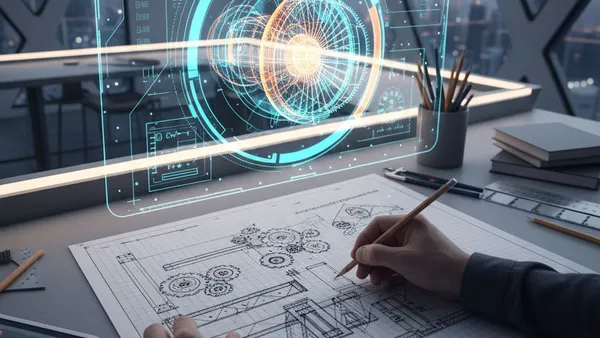
Can you turn a brilliant idea into a builder-ready blueprint in 60 seconds?
Prompted by NerdSip Explorer #6116
Communicate complex 3D designs clearly through technical paper sketches.
Engineering sketching isn't about creating a museum masterpiece; it is about flawless, unambiguous communication. When an engineer or designer draws a sketch, they are effectively writing a strict set of geometric instructions. Every single line has a strict purpose.
While traditional artists use sketches to express emotion, capture light, or evoke a mood, engineers use them to solve mechanical problems and convey exact spatial relationships. Think of it as a universal, visual language. It allows a designer in Tokyo to perfectly understand a mechanical concept drawn by a manufacturer in Berlin, without speaking a word of the same spoken language.
At an intermediate level, you likely know what a technical drawing looks like, but the goal now is to consistently apply the rules. We don't need rulers or perfectly straight lines yet. Instead, we need clear intent, proper proportions, and a strong grasp of spatial reasoning. Your pencil is your primary tool for thinking out loud.
Key Takeaway
Engineering sketching is a functional, universal language designed to communicate technical ideas without ambiguity.
Test Your Knowledge
What is the primary difference between an engineering sketch and a traditional art sketch?
Just as letters form words, different line styles form the vocabulary of a sketch. This critical standard is known as the Alphabet of Lines. You cannot just use standard, solid lines for everything without causing mass confusion in the workshop.
Object lines are thick, dark, and continuous. They represent the visible edges and outer boundaries of the object. Hidden lines, on the other hand, are made of short, thin dashes. They represent features that exist but are currently hidden behind other solid surfaces—like an internal channel or a hole drilled through the back of a block.
Furthermore, Centerlines use alternating long and short dashes to show the exact center axes of symmetrical objects or circular features. By consciously combining these basic line types, you can accurately describe complex, multi-layered geometries on a single, flat sheet of paper. Mastering line weights is your first step to clarity.
Key Takeaway
Different line weights and styles—like hidden and centerlines—act as a strict vocabulary to describe specific geometric features.
Test Your Knowledge
Which line type is used to represent an edge or feature that cannot be seen from the current viewpoint?
How do you accurately show a 3D object on a 2D piece of paper without distorting its size or losing critical details? The answer is the Orthographic Projection. This technique is the absolute bread-and-butter of engineering communication and manufacturing.
Imagine placing your mechanical part inside a transparent glass box. If you look straight at the front, top, and right sides of the box, and trace exactly what you see onto the glass, you generate an orthographic drawing. It flattens the 3D object into distinct, highly accurate 2D views.
Typically, technical drawings use a standard three-view setup: the Front View, Top View, and Right-Side View. Crucially, these views must strictly align with each other on the page. If there is a hole in the top view, its corresponding hidden lines must project downwards to perfectly align with the front view directly below it.
Key Takeaway
Orthographic projections break a 3D object down into strictly aligned 2D views, usually the front, top, and right-side.
Test Your Knowledge
Why is alignment critical in an orthographic projection?
While orthographic views are perfect for precise manufacturing, they are notoriously hard for the human brain to visualize instantly. That is where Isometric Sketching comes in. It provides a realistic, 3D illusion of an object on a 2D plane without sacrificing too much dimensional accuracy.
In an isometric sketch, the object is rotated so that the front, top, and side views are all visible simultaneously. The fundamental rule of isometric drawing? All vertical lines stay perfectly vertical, but horizontal planes are drawn at a 30-degree angle to the horizontal baseline.
This specific 30-degree angling ensures that all three primary axes (X, Y, and Z) are equally foreshortened. This equal distortion means you can maintain accurate, consistent proportions across the entire sketch, allowing viewers to immediately grasp the overall volume, shape, and spatial relationships of the design.
Key Takeaway
Isometric sketches display three sides of an object at once by uniformly angling horizontal lines at 30 degrees.
Test Your Knowledge
In a standard isometric sketch, at what angle are the horizontal depth edges drawn relative to the baseline?
Since an engineering sketch is often drawn freehand during a brainstorming session, you usually will not have a ruler, calipers, or a grid at your disposal. Yet, the sketch must still look mathematically correct. The secret lies in mastering proportions.
Proportion is the relationship in size between different parts of your object. If a cylindrical handle is supposed to be twice as long as its base, you must visually enforce that 2:1 ratio on the paper, regardless of the actual physical size of your drawing. Accuracy comes from relationships, not absolute scale.
A highly effective technique is to establish a "unit of measurement" within the sketch itself. Pick one small feature—say, the width of a mounting bracket—and use your pencil to visually measure how many "bracket widths" fit into the overall length of the part. This keeps freehand sketches remarkably accurate and professional.
Key Takeaway
Maintaining accurate geometric proportions is significantly more important than the absolute size of a freehand sketch.
Test Your Knowledge
What is a practical technique for maintaining accuracy in a freehand sketch without a ruler?
A perfectly proportional, beautiful sketch is entirely useless if the machinist doesn't know the actual physical size required to build it. Dimensioning adds the strict numerical values and tolerances required for real-world manufacturing.
Dimension lines are thin, continuous lines with arrows at the ends, pointing to extension lines that pull away from the object's edges. The numerical measurement sits clearly in the middle. Rules matter immensely here: you should generally avoid placing a dimension inside the object itself, and you must never duplicate dimensions across different views.
For example, if you state the total width in the Top view, you shouldn't state it again in the Front view. Redundancy causes catastrophic manufacturing errors if one dimension is updated later but the duplicate is forgotten. Keep dimensions clean, logical, and strictly outside the main geometry.
Key Takeaway
Dimensioning provides exact manufacturing numbers and must be placed clearly outside the object without redundant duplication.
Test Your Knowledge
Why is it important to avoid duplicating dimensions across different views (e.g., stating width in both Top and Front views)?
Sometimes an object is incredibly complex on the inside—like a car's engine block, a valve, or a fluid pump housing. Relying on dozens of overlapping hidden lines to show these internal cavities makes the drawing an unreadable, chaotic mess. The elegant solution is the Section View.
Imagine taking a bandsaw and slicing your object right down the middle, then pulling away the front half to look directly inside. That is exactly what a section view illustrates. It clearly exposes internal geometries, wall thicknesses, and hidden mechanical assemblies.
To show where the solid material was conceptually cut, engineers use hatching (also called section lining). Hatching consists of thin, parallel lines typically drawn at a 45-degree angle. Anywhere you see hatching on the paper, you instantly know the imaginary saw blade touched solid material.
Key Takeaway
Section views conceptually slice an object open to clearly reveal its complex internal features, using hatching to indicate solid material.
Test Your Knowledge
What do the parallel, 45-degree hatching lines in a section view represent?
When you buy flat-pack furniture and look at the assembly manual, you are looking at a classic Exploded View. This is a type of assembly drawing that pulls all the individual components apart, slightly suspending them in 3D space.
The primary purpose of an exploded view is not to show exact manufacturing dimensions, but to demonstrate the strict order of assembly and how multiple parts relate to one another. It visually explains the mechanical puzzle.
Engineers use thin, dashed trail lines (or explosion lines) to trace the exact path a component must take to reach its final assembled position. For instance, a single trail line will pass straight through a bolt, through a flat washer, and into the threaded hole of the base plate, showing exactly how the three components align upon final assembly.
Key Takeaway
Exploded views pull components apart along trail lines to clearly demonstrate the correct order and alignment for assembly.
Test Your Knowledge
What is the primary purpose of the thin "trail lines" in an exploded assembly view?
While isometric sketches are mathematically useful because of their equal foreshortening, they don't actually represent how the human eye sees the real world. For highly realistic, compelling conceptual presentations, engineers and industrial designers switch to Perspective Sketching.
In a perspective sketch, parallel lines do not remain perfectly parallel as they move away from the viewer. Instead, they recede into the distance and converge at specific vanishing points located on a horizon line. This mimics natural human vision, creating a powerful optical illusion of depth.
Two-point perspective is the most common method used in product design. It utilizes two vanishing points, making the object look dynamic, grounded, and incredibly realistic. While perspective drawings are terrible for taking precise measurements, they are unparalleled tools for pitching a final product design to non-technical clients or management.
Key Takeaway
Perspective sketches use converging lines and vanishing points to create a highly realistic, natural illusion of depth.
Test Your Knowledge
In a perspective sketch, what happens to parallel object lines as they recede into the distance?
In the modern engineering era, you might wonder why we still sketch on paper when we have incredibly powerful Computer-Aided Design (CAD) software. The truth is, paper sketching is the ultimate, frictionless brainstorming tool that feeds the CAD process.
CAD is wonderfully precise but highly rigid; it demands exact numbers, planes, and constraints from the first click. If you try to invent a complex mechanism entirely from scratch inside CAD, you often get bogged down in software menus rather than actual problem-solving. Freehand sketching allows your brain to rapidly iterate, fail, erase, and evolve ideas at the speed of thought.
Once the foundational proportions, multi-view geometry, and assembly concepts are solved roughly on paper, translating them into a 3D CAD model becomes a fast, streamlined process. The paper sketch is your tactical map; the CAD model is the final destination.
Key Takeaway
Freehand sketching is a rapid, frictionless brainstorming tool used to solve core design problems before committing to rigid CAD software.
Test Your Knowledge
Why do engineers typically prefer to sketch initial concepts on paper before moving to CAD software?
Track your progress, earn XP, and compete on leaderboards. Download NerdSip to start learning.