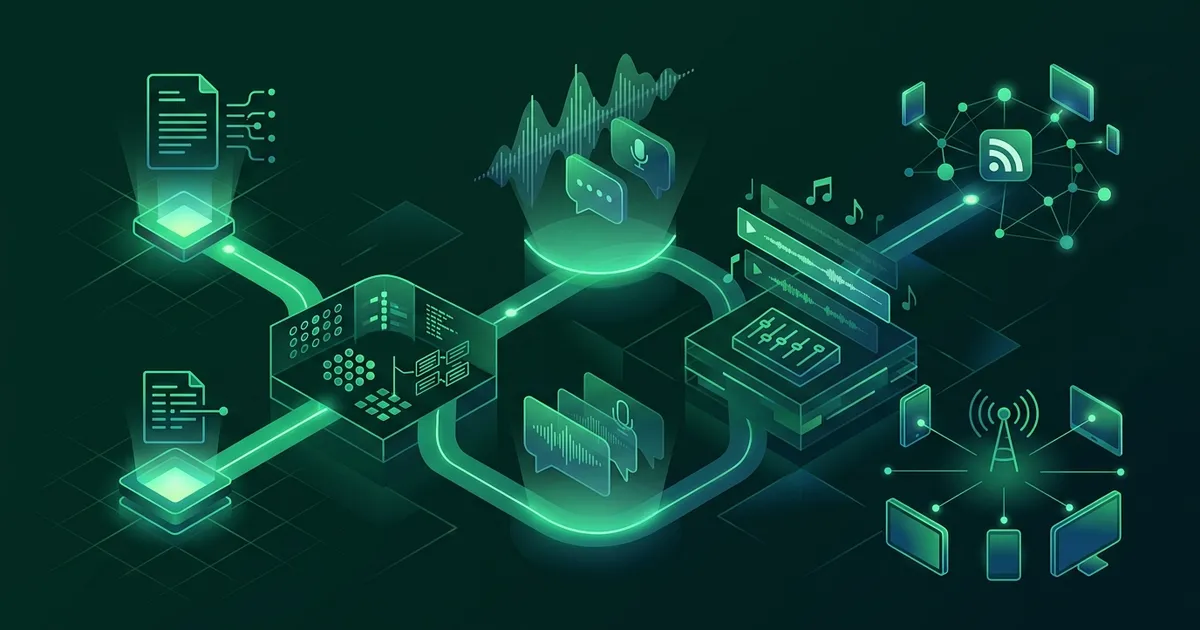
Generating a podcast used to require a microphone, editing software, and hours of production time. That changed. AI tools can now turn text, documents, or even a single topic into listenable audio in minutes. The question is no longer whether you can make a podcast with AI. It is which tool matches what you are trying to do.
This guide walks through four approaches, step by step. Each serves a different goal. By the end, you will know exactly which one to use and how to get started today.
The Four Approaches at a Glance
Before diving into steps, here is the landscape. These four tools represent genuinely different philosophies about AI-generated audio.
- Google NotebookLM turns your uploaded documents into a two-host discussion podcast. Best for researchers and students who want to hear their own material discussed.
- ElevenLabs converts text into ultra-realistic speech with voice cloning. Best for creators who want professional-grade audio from a script.
- Wondercraft is a full podcast production suite with AI voices, music, and editing. Best for people building a real podcast show without recording their own voice.
- NerdSip generates learning podcasts from a topic alone. No source material needed. Best for people who want to learn something, not produce something.
Each tool solves a different problem. Picking the right one depends entirely on your goal.
Approach 1: Google NotebookLM (Turn Your Documents into a Discussion)
Google NotebookLM landed like a quiet earthquake in late 2024. Researchers uploaded their papers and got back a surprisingly natural two-host podcast where AI voices discussed the content, asked each other questions, and explained complex ideas in conversational language. It felt like eavesdropping on two smart people breaking down your material over coffee.
Step-by-Step: NotebookLM
- Go to notebooklm.google.com and sign in with your Google account. It is free.
- Create a new notebook. Click "New Notebook" and give it a name related to your topic.
- Upload your sources. Add PDFs, Google Docs, web URLs, or pasted text. NotebookLM works best with 3 to 5 substantial sources. A single short article will produce a thin podcast. Give it enough material to work with.
- Open the Audio Overview panel. Once your sources are loaded, find the "Audio Overview" section. Click "Generate."
- Wait for generation. This takes 2 to 5 minutes depending on source length. The AI reads all your material, identifies key themes, and structures a conversation around them.
- Listen and iterate. Play the generated podcast. If it missed important points or focused on the wrong sections, you can add guidance notes before regenerating. Tell it what to emphasize.
When NotebookLM Works Best
NotebookLM excels when you already have the content and want it repackaged as audio. Graduate students use it to hear their thesis research discussed aloud. Professionals upload industry reports and listen during their commute. Teachers use it to create audio summaries of textbook chapters.
The limitation is real, though. NotebookLM cannot generate knowledge. It can only discuss what you feed it. If your sources are weak, the podcast will be weak. If you do not have sources at all, just a topic you are curious about, NotebookLM cannot help you. You need to find and upload the material yourself.
Approach 2: ElevenLabs (Professional Voice from Your Script)
ElevenLabs is the tool of choice when voice quality matters above everything else. Their AI voices are the most realistic on the market, period. Voice cloning lets you train a custom voice from a short sample, so the podcast sounds like a specific person. Content creators, audiobook narrators, and marketers have adopted it heavily.
Step-by-Step: ElevenLabs
- Sign up at elevenlabs.io. The free tier gives you a limited number of characters per month. Paid plans start around $5/month for more volume.
- Write your script. ElevenLabs converts text to speech. It does not generate content for you. You need a written script before you start. Write it yourself, or use ChatGPT or Claude to draft one.
- Choose a voice. Browse the voice library for pre-built options, or clone your own voice by uploading a 1-minute audio sample. The cloning quality is remarkable even with short samples.
- Paste your script into the text-to-speech tool. Adjust settings like stability (how consistent the voice sounds) and clarity (how crisp the pronunciation is).
- Generate and download. Click generate. The audio renders in seconds for short scripts, a few minutes for longer ones. Download as MP3.
- Edit in your audio editor. Add intro music, transitions, or sound effects in a tool like Audacity, GarageBand, or Descript. ElevenLabs gives you raw voice audio. The production is up to you.
When ElevenLabs Works Best
ElevenLabs is powerful when you have a polished script and want broadcast-quality narration. It is not a one-click solution. You write the script, choose the voice, generate the audio, and handle the editing. The output quality justifies the effort for commercial podcasts, YouTube narration, and audiobook projects.
For casual learning, though, ElevenLabs is overkill. You would spend more time writing and producing than you would spend listening and learning.
Approach 3: Wondercraft (Full AI Podcast Production)
Wondercraft positions itself as the complete podcast studio powered by AI. Where ElevenLabs gives you a voice engine, Wondercraft gives you the entire production pipeline: scripting assistance, multiple AI voices for multi-host shows, background music, sound effects, and episode structuring.
Step-by-Step: Wondercraft
- Sign up at wondercraft.ai. Free trial available with limited episodes.
- Start a new episode. Choose your format: solo narration, interview style, or multi-host discussion.
- Provide your content. You can paste a script, upload a document, or use Wondercraft's AI to help draft an outline from your topic notes. The AI assistance here is more robust than ElevenLabs but still requires your input and direction.
- Select voices and assign roles. Pick from the voice library and assign each voice to a host role. Adjust pacing, tone, and emphasis for each speaker.
- Add production elements. Wondercraft lets you insert background music, transitions, and sound effects directly in the editor. No external audio software needed.
- Review and export. Listen to the full episode in the preview. Make adjustments to pacing or content. Export as MP3 or publish directly to podcast platforms.
When Wondercraft Works Best
Wondercraft is ideal for people who want to run an actual podcast show without recording their own voice. Small businesses use it for branded content. Educators use it for course material. Marketing teams use it for thought leadership episodes. The production quality is high enough to distribute publicly.
The tradeoff is time. Even with AI assistance, building a polished Wondercraft episode takes 30 to 60 minutes. That is dramatically faster than traditional production, but it is still a creative project, not a learning tool.
Approach 4: NerdSip (Type a Topic, Get a Learning Podcast)
NerdSip takes a fundamentally different approach. The other tools on this list require you to bring something: documents, scripts, outlines, or at least structured notes. NerdSip requires one thing. A topic.
That is because NerdSip is not a podcast production tool. It is a micro-learning app with thousands of AI-generated courses and tens of thousands of lessons. The podcast feature turns any course into audio you can listen to while doing other things. The AI generates the knowledge, structures it into lessons, and narrates it for you.
Step-by-Step: NerdSip
- Download NerdSip from the App Store or Google Play. It is free.
- Browse or search for a topic. The library covers psychology, science, history, philosophy, productivity, health, technology, social skills, and more. If you do not see what you want, you can generate a custom course on any topic.
- Open a course and tap the podcast icon. Choose "Read All" to listen to every lesson in order, or "Pick and reorder" to select specific lessons.
- Hit play. The first lesson starts within seconds. Remaining lessons generate in the background while you listen. No waiting for the full course to render.
- Adjust speed and track progress. Speed controls let you listen at 0.75x to 1.5x. Mark lessons complete as you go. Your course progress updates in real time.
That is the entire process. Five steps. No script writing. No document uploading. No audio editing. No production decisions.
When NerdSip Works Best
NerdSip shines when your goal is learning, not content creation. You want to understand behavioral economics during your commute. You want to explore stoic philosophy while walking the dog. You want to learn about cognitive biases during your workout. The podcast is part of a complete learning system that includes visual infographics, quizzes, and spaced repetition. Audio is one channel in a multi-modal approach to retention.
The AI podcast feature was built for a specific person: someone who has time but not screen attention to spare. Commuters, runners, parents, dog walkers. Anyone whose ears are free even when their hands are not.
Comparing the Four Tools Side by Side
Here is a direct comparison to help you decide.
What you need to start:
- NotebookLM: 3-5 uploaded documents
- ElevenLabs: A written script
- Wondercraft: Content outline or script
- NerdSip: A topic in mind
Time from start to listening:
- NotebookLM: 5-10 minutes (plus time finding/uploading sources)
- ElevenLabs: 30-60 minutes (script writing + voice generation + editing)
- Wondercraft: 30-60 minutes (content + production)
- NerdSip: Under 2 minutes
Output format:
- NotebookLM: Two-host conversational discussion
- ElevenLabs: Single-voice narration (raw audio file)
- Wondercraft: Fully produced podcast episode
- NerdSip: Narrated learning lessons with quizzes and visuals
Best for:
- NotebookLM: Researchers, students, report readers
- ElevenLabs: Content creators, audiobook producers
- Wondercraft: Podcast creators who do not want to record
- NerdSip: Learners who want knowledge, not a production
The Hidden Difference: Learning vs. Producing
Most AI podcast tools are built for creators. They assume you have content and want to turn it into audio. The workflow runs in one direction: from your material to a finished episode.
NerdSip reverses that flow. You do not bring content. The AI brings content to you. The technology behind NerdSip's voice generation exists to serve learning, not production. That distinction matters more than it seems.
When you produce a podcast, you are packaging what you already know. When you listen to a NerdSip course, you are acquiring what you do not know yet. Both are valid uses of AI audio. But they serve opposite goals.
If you want to share your expertise with an audience, choose NotebookLM, ElevenLabs, or Wondercraft. If you want to learn something new every day, NerdSip is the tool that was built for that specific purpose.
Tips for Getting the Most Out of Any AI Podcast Tool
Regardless of which tool you choose, a few principles apply across the board.
Start with a clear goal. "I want to learn about behavioral economics" is better than "generate something interesting." The more specific your input, the more useful the output. This applies to NotebookLM source selection, ElevenLabs script writing, and NerdSip course selection alike.
Listen actively, not passively. AI podcasts are not background noise. Treat them like a conversation. Pause when something surprises you. Replay sections that feel dense. Active listening dramatically improves retention compared to letting audio wash over you while you think about dinner.
Combine audio with other formats. Research on dual coding theory shows that learning through multiple channels strengthens memory. Listen to a topic, then read about it. Or do it in reverse. NerdSip builds this in automatically: the same course has audio lessons, written content, visual infographics, and quizzes. Other tools require you to create that multi-channel experience yourself.
Iterate and revisit. One listen is rarely enough for complex topics. Spaced repetition, the practice of reviewing material at increasing intervals, is one of the most effective learning strategies ever studied. Listen to a lesson today. Revisit it in three days. Then again in a week. Each repetition strengthens the neural pathways.
Getting Started Today
You do not need to evaluate all four tools. Ask yourself one question: am I trying to create audio content, or am I trying to learn something?
If you want to create, start with NotebookLM. It is free, requires no script writing, and produces surprisingly good results from uploaded documents. Graduate to ElevenLabs or Wondercraft when you need more production control.
If you want to learn, download NerdSip. Pick a topic that has been sitting in the back of your mind. Tap the podcast icon. By the time your commute ends, you will know things you did not know when it started. That is the entire promise, and AI makes it possible in under two minutes.
Frequently Asked Questions
Can I generate a podcast with AI for free?
Yes. Google NotebookLM is free and generates two-host podcast discussions from uploaded documents. NerdSip offers a free tier that includes AI podcast generation on any course topic. ElevenLabs and Wondercraft offer limited free trials.
What is the easiest way to create an AI podcast?
NerdSip is the simplest option for learning-focused podcasts. You type a topic, the app generates a full course, and you tap play to hear it as a podcast. No uploads, no editing, no production work required.
Do AI-generated podcasts sound natural?
Modern AI voices have improved dramatically. Google NotebookLM produces natural-sounding two-host conversations. ElevenLabs offers near-human voice quality with cloning. NerdSip uses Google Cloud TTS for clear, comfortable narration designed for sustained listening.
Can I use AI podcast tools for commercial podcasts?
ElevenLabs and Wondercraft are designed for commercial podcast production with licensing for commercial use. Google NotebookLM and NerdSip are better suited for personal learning and research. Always check each tool's terms of service for your specific use case.
Every NerdSip course clears a four-layer fact-checking pipeline before it reaches the app: grounded in live sources, scored nightly, gated on failure, and reviewable by a person at one tap. Articles on this blog are drafted with AI assistance, then researched, verified, and edited by our team.
Editorial responsibility: ai51 UG (haftungsbeschränkt). Responsible editor named in the imprint.
📚 Keep Learning
Explore the NerdSip learning hubs
The blog is our editorial layer. When you want to move from reading into doing, these hubs organize the rest of NerdSip by format, including the app itself and the press that has written about it.
Try NerdSip Free
Thousands of courses. 5-minute lessons. AI podcasts. Gamified so you actually come back. Free to download.
4.7 stars from 380 reviews · 10,000+ learners