The best apps to stop doomscrolling in 2026 fall into two jobs. For interrupting the habit: one sec, Opal and ScreenZen. For replacing it: NerdSip, Libby and Duolingo, with Headspace for the stress that starts the spiral. Run one from each group. That pairing is the whole recommendation, and the rest of this page explains why the single-app version keeps failing.
The seven apps, compared
| App | Type | Best for | Price | Platforms | Free tier |
|---|---|---|---|---|---|
| NerdSip | Replacement | Filling the dopamine gap | From €7.99/mo or €49.99/yr | iOS, Android | Yes, 1 course/day |
| Libby | Replacement | Reading instead of scrolling | Free | iOS, Android, Kindle | Fully free with a library card |
| Duolingo | Replacement | People who want a language | Super $12.99/mo | iOS, Android, Web | Yes, ad-supported |
| Headspace | Trigger | Stress-driven scrolling | $12.99/mo or $69.99/yr | iOS, Android, Web | Limited |
| one sec | Friction | Breaking autopilot | $6.99/mo, $19.99/yr or $99.99 once | iOS, Android | Yes, one app |
| ScreenZen | Friction | Granular custom limits | Free, optional tips | iOS, Android | Yes, core features |
| Opal | Hard blocker | Scheduled deep focus | $19.99/mo or $99.99/yr | iOS, Android | Yes, basic blocking |
Why blockers alone fail
Most people who try to quit doomscrolling start with a blocker. They set strict limits, feel virtuous for three days, then disable everything during a stressful evening. The pattern is so common it is almost a rite of passage.
The reason is that a blocker only addresses half the loop. Feeds train your reward system to expect novelty every few seconds. Remove the source and the expectation does not go anywhere. Boredom becomes intolerable, focus feels impossible, and the blocker starts to feel like a punishment rather than a tool. So you turn it off, and you are back where you started with the added conviction that you lack discipline.
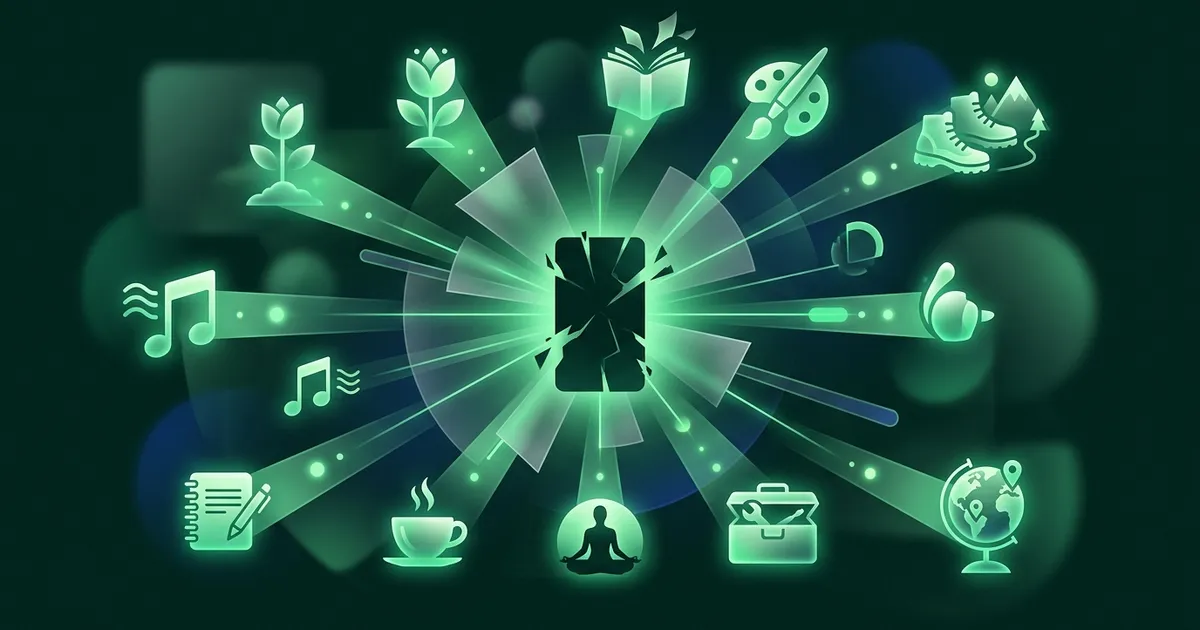
Replacement works better because it redirects the craving rather than suppressing it. Your brain still gets stimulation, variety and reward. It just gets them from somewhere that leaves you better off. That is the entire mechanism, and it is why every recommendation below comes in pairs.
Chunks makes a similar replacement argument in its guide to stopping doomscrolling, and it is worth reading alongside this one.
Replacement apps: give the craving somewhere to go
These fill the same pull that scrolling does, with content that leaves you sharper instead of hollow. This is the half most guides skip, and it is the half that makes the change stick.
1. NerdSip
What it is: A gamified micro-learning app with thousands of AI-generated courses across psychology, science, history, social skills, productivity, health, technology and philosophy.
Why it works for doomscrolling: It addresses the dopamine loop directly rather than moralising about it. The progression system, with XP, loot drops at Common, Rare and Legendary tiers, leaderboards and streaks, creates the same reward cycle a feed does. The difference is what you are left holding after twenty minutes. You get the same pull to do one more, except each one more is a lesson on cognitive biases or the history of cryptography.
Lessons run about five minutes: core concept, visual infographic, quiz, takeaway. Spaced repetition and active recall mean the material stays with you rather than washing through. AI-generated podcasts turn any topic into an audio episode when you would rather not look at a screen at all, which matters more than it sounds for a habit that is partly about the screen itself.
The insight underneath it: doomscrolling is a dopamine problem, not an information problem. Nobody scrolls because they need the news.
Fact-checking: Generation runs against live search results, a nightly pass scores every course for integrity, only what clears the bar reaches your deck, and one tap sends anything suspect to human review.
Pricing: Free tier with a course a day and no account required. One paid plan from €7.99/mo for more content and AI-generated courses.
Platforms: iOS and Android.
NerdSip runs on the same one-more loop as a feed, only every round is a 5-minute lesson. Free to start, no credit card.
2. Libby
What it is: A free app for borrowing ebooks and audiobooks from your local library. All you need is a library card.
Why it works for doomscrolling: Reading engages your brain in a fundamentally different mode than scrolling does. The app is genuinely well made, with adjustable fonts, dark mode and bookmarking that makes short bursts practical. Audiobooks cover commutes and the times when your eyes are done.
The demand of finishing a book also retrains attention. Feeds deliver micro-hits of novelty every few seconds; a book asks for sustained focus and gives nothing back for the first ten minutes. That is uncomfortable at first. Then it is the point.
Worth knowing: availability depends on your library's licences, so popular titles carry waiting lists. That friction annoys people expecting instant access, though a queue you have to wait for is arguably the correct opposite of an infinite feed.
Pricing: Completely free with a library card.
Platforms: iOS, Android and Kindle.
3. Duolingo
What it is: The language app whose gamification became a cultural phenomenon in its own right.
Why it works for doomscrolling: The streak, the XP and the leaderboards create real compulsion, and the owl has guilt-tripped millions of people into Spanish instead of Twitter. Lessons take five minutes. It scratches the same itch, and you come away speaking more French than you did.
The limitation is scope. Duolingo teaches languages and nothing else. If you do not actually want a language, the streak becomes a chore you maintain out of guilt, which is its own small trap. Pick it only if the underlying goal is real.
Pricing: Strong free tier with ads. Super Duolingo removes them for $12.99/mo.
Platforms: iOS, Android and Web.
Trigger apps: deal with why you reached for the phone
4. Headspace
What it is: A meditation and mindfulness app with guided sessions, sleep content and focus audio.
Why it works for doomscrolling: It goes after the cause rather than the symptom. Scrolling usually starts as a response to stress, boredom or anxiety, and meditation addresses those directly. A five-minute session before bed can displace the forty-five-minute spiral that wrecks your sleep.
The mindful moments feature is built for precisely the gaps where you would otherwise reach for your phone. It will not give you the spike a learning app does, and if you are looking for stimulation it will feel like nothing is happening. That is rather the idea, but it does mean Headspace works best as the second app rather than the only one.
Pricing: Limited free content. Premium is $12.99/mo or $69.99/yr.
Platforms: iOS, Android and Web.
Friction apps: interrupt the autopilot
These do not replace the habit. They put a gap between the reach and the feed, which is usually where the whole thing happens unconsciously.
5. one sec
What it is: An app that makes you take a breath before opening anything you have flagged as distracting.
Why it works: The simplicity is the strength. You choose the trigger apps, and every attempt to open one is intercepted by a breathing exercise, after which it asks whether you still want to continue. That pause is often enough to break the loop, because a surprising share of feed-opening is not a decision at all.
What makes it different is that it does not block you. It slows you down. Psychologically that distinction carries weight: hard blocks feel punitive and breed resentment, while a pause feels like a note you left yourself. You can still open the app. You just have to mean it.
Pricing: Free for one app. one sec pro unlocks unlimited apps for $6.99/mo, $19.99/yr or $99.99 once on the US App Store.
Platforms: iOS and Android.
6. ScreenZen
What it is: A screen-time tool that adds friction through countdown timers and usage caps rather than hard blocks.
Why it works: Opening a flagged app starts a countdown before it lets you through. You can cap daily time per app, and it tracks how many times you tried to open something against how many times the friction stopped you. That second number turns out to be unexpectedly motivating.
The philosophy is close to one sec with more granular control: different friction levels per app, adjustable timers, daily caps. Less aggressive than Opal, more structured than one sec, which makes it the right pick if you want customisation without a lockdown. The trade-off is setup time. It rewards fiddling, and if you do not enjoy fiddling you will use it at defaults and get less out of it.
Pricing: Completely free, with no subscription. Optional tips from $5 support the developer.
Platforms: iOS and Android.
Hard blockers: for when your evening self cannot be trusted
7. Opal
What it is: A full screen-time manager with scheduled focus sessions, app blocking and usage analytics.
Why it works: Opal lets you build focus sessions that block distracting apps for set periods. You can schedule them (social media off from 9am to 5pm on weekdays) or trigger them manually. The analytics dashboard shows exactly where your hours went, and that number alone is often the thing that changes behaviour.
Deep Focus mode makes the block genuinely hard to override, for the moments when you already know your willpower will not hold. It pulls the apps off your home screen and demands several deliberate steps to get back in.
This is the most aggressive option here, and aggression cuts both ways. If hard limits make you rebel, Opal will end up uninstalled by week two. Choose it if scheduled, unnegotiable boundaries are something you actually want.
Pricing: Basic features free. Opal Pro is $19.99/mo or $99.99/yr.
Platforms: iOS and Android.
The stack that actually works
Three steps, in this order.
Step 1. Install one friction app. one sec is the pick for most people, because the breathing pause is gentle enough that you will not resent it by day five. Point it at your worst two or three apps, not all of them.
Step 2. Put a replacement in the empty slot. Move it to the exact home-screen position the old app occupied, because your thumb already knows the way there. Gamified formats fill the dopamine gap more reliably than worthy ones, which is the honest reason a learning app beats a bookmark folder of long reads.
Step 3. Give it two weeks. The first three days are the hardest. Around day ten the pattern starts feeling normal. By day fourteen the urge itself is measurably quieter, not just better resisted.
It works because it covers both halves of the loop. The friction app disrupts the trigger, the replacement satisfies the craving. Neither does much alone, which is precisely why so many people conclude they have tried everything.
How we tested
Worth being straightforward about what this page is and is not.
Each app here was installed and used for at least two weeks on iOS and, where available, Android, with the friction and blocker apps configured against real social feeds rather than test accounts. Pricing was taken from the vendors' own pages and app-store listings at the time of writing. Prices move, and regional pricing varies, so check before you subscribe.
Two things this is not. It is not a controlled trial, so treat the two-week figure as what we observed, not as a measured result. Habit research suggests a full new habit takes longer: one well-known study found a median of 66 days, with a wide range. And NerdSip is our own app, which you should weigh accordingly. We have tried to earn its place by explaining the mechanism rather than asserting the ranking, and the friction apps above are recommended precisely because they solve a problem ours does not.
Not sure whether your scrolling is a habit or a problem? Take our free phone addiction test: ten questions from the Smartphone Addiction Scale, about two minutes, no signup.
What to expect in the first week
Day one feels strange. You will reach for the feed dozens of times, the friction app will catch you, and you will be irritated by it. Open the replacement anyway. Even without the appetite for it, do one lesson. Five minutes.
By day three the irritation fades. You notice the prompt and take the alternative without much internal argument. Some sessions you will get properly absorbed and forget what you originally opened your phone for.
By day seven something shifts. You reach for the phone and open the replacement first, not because you were redirected but because the new path is now the familiar one. The old apps start to feel less urgent than they did.
This is not a cure, and habits need maintenance. But the initial fortnight is the expensive part, and doing it with the right two apps is dramatically easier than white-knuckling it.
If you want the mechanics rather than the tools, read how to stop doomscrolling. If your attention was difficult before any of this, ADHD and doomscrolling covers why the standard advice tends not to land. For the wider category, start with the best apps to replace social media.
Your screen time is going somewhere every day. The only real question is whether it builds you up or burns you out. Pick one friction app, pick one replacement, and start tonight. Your future self will thank you.
Frequently Asked Questions
What is the best app to stop doomscrolling?
There is no single best app, because the two jobs are different. For interrupting the habit, one sec is the strongest pick: it puts a breathing pause between you and the app you reached for. For replacing it, NerdSip works because its 5-minute gamified lessons satisfy the same pull that scrolling does. Most people who succeed run one of each.
What is the best doomscrolling blocker?
Opal is the most difficult to circumvent, which is exactly the point if your evenings are the problem. It blocks at the system level, supports scheduled sessions, and its Deep Focus mode takes several deliberate steps to override. ScreenZen is the gentler alternative if a hard block makes you rebel.
Are there free apps to stop doomscrolling?
Yes, and the free tiers are genuinely usable. ScreenZen is free for core features, one sec is free for a single app, and Opal includes basic blocking at no cost. On the replacement side, Libby is completely free with a library card, and both NerdSip and Duolingo have free tiers you can run indefinitely.
Do screen time blocking apps actually work?
They work while you keep them switched on, which is the catch. Blockers reliably reduce access, but on their own they have high relapse rates, because the craving that drove the scrolling is still there. Pairing a blocker with a replacement habit is what makes the change hold.
How do I stop doomscrolling without willpower?
Take willpower out of it. Put a friction app in front of your two or three worst offenders, then move a replacement app into the home-screen slot the old app used to occupy. When the friction interrupts you, the alternative is already under your thumb. After two to three weeks the redirect stops feeling like a decision.
How do I stop doomscrolling at night?
Night scrolling is a different problem from daytime scrolling, because it is usually about avoiding sleep rather than seeking novelty. Schedule a hard block that starts an hour before bed rather than relying on an in-the-moment pause, charge the phone outside the bedroom, and keep something to read within reach. Opal handles the scheduling well because it runs without you having to remember.
What is a good app to replace doomscrolling?
The replacement has to be as easy to open and as rewarding as the thing it replaces, or you will drift back. NerdSip fits because lessons run about five minutes and the progression system creates the same pull to continue. Libby works if you would rather read. Duolingo works if a language is something you actually want.
Is doomscrolling bad for your brain?
The evidence points that way, though most of it is correlational rather than causal. Heavy feed use is associated with worse sustained attention, higher anxiety, disrupted sleep and poorer retention of what you read. The mechanism people point to is that constant novelty trains your reward system to prefer it, which makes slower and deeper tasks feel harder by comparison.
How long does it take to stop doomscrolling?
Two weeks gets you over the hard part, not to the finish line. The often-quoted 21-day rule has no study behind it; the best-known research on habit automaticity found a median of 66 days with individuals ranging from 18 to 254, and a 2024 systematic review put durable habits at two to five months. Expect the first three days to be the worst, a noticeable easing in week two, and effortlessness around month two.
Should I just delete social media instead?
It works for some people and backfires for others. Deleting removes the source but leaves the craving, which is why so many deletions are followed by a reinstall within a month. If you are going to delete, decide first what the freed-up time is for, and put that app on your home screen before the old one comes off.
Every NerdSip course clears a four-layer fact-checking pipeline before it reaches the app: grounded in live sources, scored nightly, gated on failure, and reviewable by a person at one tap. Articles on this blog are drafted with AI assistance, then researched, verified, and edited by our team.
Editorial responsibility: ai51 UG (haftungsbeschränkt). Responsible editor named in the imprint.
📚 Keep Learning
- How to Stop Doomscrolling: 11 Steps That Actually Work
- ADHD and Doomscrolling: Why You Can't Put Your Phone Down
- 12 Best Apps to Replace Social Media in 2026 (What to Use Instead)
- 9 Best Productive Apps Instead of Social Media in 2026
- The Dopamine Trap: Why You Can't Stop Scrolling Even When You Hate It (Part 2 of 3)
- 15 Things to Do Instead of Scrolling Your Phone (That Don't Suck)
Explore the NerdSip learning hubs
The blog is our editorial layer. When you want to move from reading into doing, these hubs organize the rest of NerdSip by format, including the app itself and the press that has written about it.
Try NerdSip Free
Thousands of courses. 5-minute lessons. AI podcasts. Gamified so you actually come back. Free to download.
Courses on this topic
4.7 stars from 380 reviews · 10,000+ learners