Ever wonder how simple, flat drawings suddenly spring to life on your screen?
Prompted by NerdSip Explorer #9142
Master the core basics of creating cartoons.
Have you ever doodled in the corner of a notebook and flipped the pages to watch a stick figure run? That is the magic of cartoon making in its purest form! At its core, animation is simply a brilliant optical illusion.
To create a cartoon, artists draw a series of still images, called frames. Each frame is slightly different from the last. When you play them back very quickly, your brain blends them together, and it looks like smooth, continuous movement!
The speed at which these pictures are shown is called the frame rate, measured in frames per second (or FPS). Most standard movies run at 24 FPS, which means your eyes see 24 different drawings every single second.
For a beginner, you don't need 24 frames. You can start creating your own simple animations with just 10 or 12 FPS. The fewer frames you use, the choppier it might look, but it is the perfect way to practice the basics without getting overwhelmed.
Key Takeaway
Cartoons are created by showing a fast sequence of slightly different drawings, creating the illusion of movement.
Test Your Knowledge
What does FPS stand for in the context of animation?
Before drawing thousands of frames, cartoonists need a solid plan. You wouldn't build a house without a blueprint, right? In cartoon making, this essential blueprint is called a storyboard.
A storyboard looks a lot like a comic book. It is a series of rough, quick sketches inside little boxes that map out what will happen in the cartoon, scene by scene.
Storyboarding lets artists figure out the story, the camera angles, and what the characters will say before they spend hours doing the final animation. It is all about capturing the big ideas! If a joke isn't funny on the storyboard, it won't be funny in the final cartoon.
Next time you have an idea for a cartoon, don't just jump right into animating. Grab a piece of paper, draw some boxes, and sketch out the beginning, middle, and end of your story first!
Key Takeaway
A storyboard is a comic-like blueprint used to plan out a cartoon before the actual animation begins.
Test Your Knowledge
Why do animators use a storyboard?
If you want your cartoon characters to feel alive and not like stiff robots, you need to use a famous trick called Squash and Stretch. This is one of the most fundamental rules in animation history!
Imagine dropping a bowling ball and a water balloon. The bowling ball stays totally round when it hits the floor. But the water balloon will flatten out (squash) when it hits the ground, and then pull long and thin (stretch) as it bounces back up into the air.
By adding squash and stretch to your drawings, you give your characters a sense of weight and flexibility. When a cartoon character gets surprised, their face might stretch upward! When they jump, they squash down first.
The golden rule of squash and stretch is to always keep the volume the same. If a character squashes down, they must get wider to make up for it. This simple trick makes animation instantly satisfying!
Key Takeaway
Squash and stretch is an animation principle that gives drawings a sense of weight, flexibility, and life.
Test Your Knowledge
What is the 'golden rule' when applying squash and stretch to a character?
Have you ever noticed that before a cartoon character zooms off-screen, they lean back in the opposite direction first? This trick is called Anticipation, and it is crucial for making your animation easy for the audience to understand.
In real life, we naturally use anticipation without thinking about it. If you want to jump as high as you can, you have to bend your knees first. If you are going to throw a baseball, you have to pull your arm back.
In cartoon making, artists exaggerate this backward movement to warn the audience that a big action is about to happen. Without anticipation, movements feel sudden, unnatural, and confusing because the audience doesn't have time to process what is going on.
By having your character wind up before doing something big—like taking a huge breath before blowing out a candle—you build suspense and make the final action look incredibly powerful!
Key Takeaway
Anticipation is a reverse movement used before a main action to prepare the audience for what is about to happen.
Test Your Knowledge
What is the primary purpose of anticipation in a cartoon?
In the early days of cartoon making, artists used Traditional Animation. This meant drawing every single frame by hand on transparent sheets of plastic called cels, and photographing them one by one. It was beautiful, but took massive teams of people to finish!
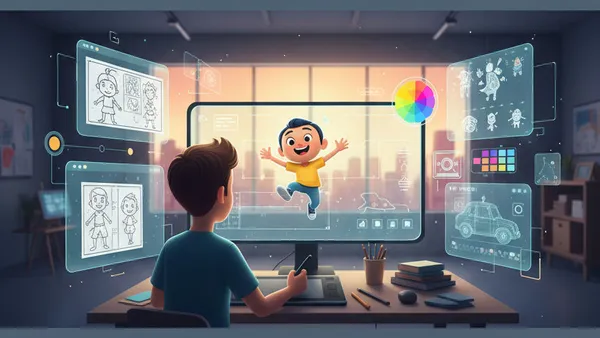
Today, things are much more accessible thanks to Digital Animation. Using computers, drawing tablets, and specialized software, a single person can create amazing cartoons right from their bedroom.
Some digital artists still draw frame-by-frame on a screen, which is great for a classic look. Others use "rigged" animation, where they build a digital puppet and simply move its joints around, letting the computer figure out the frames in between.
Whether you prefer sketching on paper, using a free app on your phone, or trying out professional software, the core rules remain the same. The best tool is simply the one you have right now!
Key Takeaway
While traditional animation requires hand-drawing every frame on plastic cels, digital animation uses computers and software to make the process faster and more accessible.
Test Your Knowledge
What does 'rigged' animation involve?
Track your progress, earn XP, and compete on leaderboards. Download NerdSip to start learning.